An essential component of our digital life is artificial intelligence. Businesses, independent contractors, and artists will rely significantly on AI tools in 2026 to produce content, automate processes, and increase productivity. AI tools are now necessary rather than optional due to the need for more intelligent workflows and quicker execution.Best AI Tools in 2026: Free and Paid AI Tools Worth Using
Artificial intelligence is no longer something reserved for technology companies, programmers, or researchers. In 2026, AI has become part of everyday work for millions of people.

Writers use AI to brainstorm and edit. Businesses use it to automate repetitive tasks. Designers generate concepts in minutes. Developers use AI coding assistants to work faster. Marketers rely on AI for research, content creation, analytics, and search engine optimization.
The difficult part is no longer finding an AI tool. There are thousands of them.
The real challenge is finding the best AI tools in 2026 for what you actually want to accomplish.
Some platforms are excellent for writing but disappointing for images. Others are impressive for video creation but unnecessary for someone who only needs help organizing daily tasks. And while free AI tools can be surprisingly powerful, paid services often become more useful when AI is part of your professional workflow.
This guide explores some of the most useful free and paid AI tools in 2026, what they are good at, and how to choose the right ones without filling your browser with subscriptions you rarely use.
What Are AI Tools?
AI tools are applications that use artificial intelligence to perform tasks that traditionally required significant human input.
Depending on the application, these systems may use technologies such as machine learning, natural language processing, computer vision, speech recognition, or generative AI.
The result is software capable of assisting with tasks such as:
- Writing and editing content
- Researching and summarizing information
- Generating images
- Creating and editing videos
- Writing and reviewing code
- Organizing information
- Automating workflows
- Analyzing data
- Improving productivity
- Supporting SEO and digital marketing
The important word here is assisting.
AI is most useful when it removes repetitive work or helps a person move from an idea to a useful result faster. It does not automatically make every piece of work accurate, original, or valuable.
The quality of the result still depends heavily on how the tool is used.
Why AI Tools Matter in 2026
AI adoption has moved beyond experimentation.
For many professionals, using AI now feels similar to using search engines, spreadsheets, cloud storage, or collaboration software. It has become another layer of the modern digital workspace.
There are several reasons for this shift.
AI Can Save Significant Time
One of AI’s clearest advantages is speed.
Imagine that you need to prepare ideas for a marketing campaign. Traditionally, you might spend an hour brainstorming possibilities before you even begin writing.
An AI assistant can produce an initial list of concepts within seconds.
That doesn’t mean the first suggestions will be perfect. But instead of starting with a blank page, you have material to evaluate, improve, reject, or develop.
The same principle applies to coding, research, design, email, data analysis, and many other activities.
AI doesn’t necessarily eliminate the work. It can shorten the distance between starting the task and producing something useful.

Advanced Technology Has Become More Accessible
Another major change is accessibility.
You don’t need to understand machine-learning models to use a modern AI assistant.
Someone with no programming experience can describe an image they want to create. A small business owner can ask for help organizing marketing ideas. A student can request an explanation of a difficult concept.
Natural-language interfaces have made sophisticated technology accessible to a much broader audience.
AI Can Reduce the Cost of Routine Work
For businesses, automation can reduce the amount of time spent on repetitive administrative tasks.
This doesn’t mean replacing an entire workforce with software.
A more realistic example is using AI to prepare a first draft of an email, summarize a long document, categorize information, generate meeting notes, or produce several advertising concepts before a human selects the best direction.
Saving 10 or 20 minutes on a task may not sound revolutionary.
Multiply that across dozens of tasks and hundreds of working days, however, and the impact becomes significant.
Best Free AI Tools in 2026
“Free AI” needs some explanation.
Many AI platforms offer a free tier rather than unlimited free access. You may receive limited generations, usage caps, fewer advanced models, reduced storage, or slower processing.
Those limitations can change, so always check the provider’s current terms.
Even with restrictions, free versions are an excellent way to determine whether an AI platform deserves a permanent place in your workflow.
1. ChatGPT — Best General-Purpose AI Assistant
ChatGPT is one of the most recognizable AI assistants and remains useful for a remarkably broad range of tasks.
People use it for writing, brainstorming, explaining concepts, learning, planning, coding assistance, summarization, idea generation, and everyday problem-solving.
Its biggest advantage is versatility.
Instead of being built around a single task, ChatGPT can adapt to many different types of work.
A blogger might use it to develop article outlines.
A business owner might brainstorm product descriptions.
A student might ask for a difficult subject to be explained in simpler language.
A developer might use it to reason about a programming problem.
The important thing is not to treat every AI-generated response as automatically correct.
For factual or important work, verify the result and use reliable sources.
Best for: General productivity, writing, brainstorming, learning, research assistance and coding support.
2. Canva — Best for Accessible AI-Assisted Design
Canva has made graphic design dramatically more accessible to non-designers.
Its growing collection of AI-assisted capabilities makes it even more useful for people who need visual content quickly.
Bloggers can create featured images. Social media managers can produce posts and promotional assets. Small businesses can build presentations and marketing materials without starting every design from scratch.
The advantage of Canva is not simply AI generation.
It’s the combination of AI features with an established visual editing environment.
Generating an asset is only the first step. You often need to resize it, add branding, adjust typography, insert additional elements, or create several versions.
Canva brings those steps into one workflow.
Best for: Social media, presentations, blog graphics, marketing materials and quick visual production.
3. Leonardo AI — Strong Choice for AI Image Generation
AI image generation has developed rapidly.
Leonardo AI is one of the platforms creators frequently consider when they want to generate visual concepts, artwork, marketing assets, or imagery from text prompts.
For bloggers, AI-generated imagery can be useful when an article needs a conceptual illustration that would otherwise be difficult to source.
For designers, it can accelerate ideation.
Instead of manually creating ten initial concepts, AI can generate several directions that can then be refined.
However, image-generation tools should be used thoughtfully.

If you’re publishing commercially, review the platform’s current licensing and usage terms. You should also avoid creating misleading images that readers could mistake for authentic documentation of real events.
Best for: Creative concepts, blog imagery, digital artwork and visual experimentation.
4. Codeium — AI Assistance for Developers
Coding assistants are among the clearest examples of AI improving an existing professional workflow.
Instead of replacing programming knowledge, tools such as Codeium can help developers write repetitive code, explore solutions, understand unfamiliar sections, or accelerate common programming tasks.
This is especially valuable because software development involves more than typing code.
Developers spend time searching documentation, debugging, understanding existing projects, refactoring, testing, and reasoning about architecture.
AI assistance can reduce some of that friction.
But developers still need to review generated code carefully.
AI can produce code that looks convincing while containing security issues, incorrect assumptions, inefficient logic, or subtle bugs.
Best for: Developers looking for AI-assisted coding and faster software workflows.
5. Notion AI — AI Inside an Organized Workspace
Notion has become popular because it combines notes, databases, documents, projects, and team knowledge.
Adding AI to this environment creates interesting productivity possibilities.
Instead of moving information into a separate chatbot every time you want assistance, AI can become part of the workspace where your information already lives.
That can be useful for summarizing notes, preparing drafts, organizing ideas, or working with existing information.
Availability and usage limits for AI functionality can depend on Notion’s current plans, so check the latest offering before choosing it specifically for AI.
Best for: Knowledge workers, teams, project organization and people already using Notion.
Best Paid AI Tools in 2026
Free tools are excellent for experimentation and occasional use.
Paid AI tools start to make more sense when the software saves enough time or produces enough business value to justify the subscription.
The right question isn’t:
“Is this AI tool expensive?”
Ask instead:
“Does this tool save or generate more value than it costs?”
6. Jasper — AI for Marketing Workflows
Jasper is primarily associated with AI-assisted marketing and content workflows.
Unlike a completely general AI assistant, platforms focused on marketing try to organize AI around business use cases such as campaigns, brand communication, and content production.
This distinction matters for teams.
A freelancer may be perfectly happy using a general AI assistant.
A marketing department producing content across several channels may prefer software designed around repeatable brand workflows.
Jasper can be worth investigating for companies producing substantial amounts of marketing content, but smaller users should compare the cost against simpler alternatives before subscribing.
Best for: Marketing teams, campaigns and structured business content workflows.
7. Writesonic — AI Content and Marketing Platform
Writesonic is another platform positioned around AI-assisted content and marketing.
Tools in this category can help with tasks such as brainstorming, drafting, marketing copy, landing-page content, and content workflows.
The main advantage is convenience.
Instead of constructing every marketing prompt manually, purpose-built platforms often provide workflows designed around common business tasks.
That convenience can be valuable when producing content at scale.
However, publishing AI-generated marketing content without editing is rarely a good strategy.
Strong marketing requires understanding the audience, product, positioning, competition, and brand voice.
AI can accelerate production, but human judgment remains essential.
Best for: Marketers, content teams and businesses producing digital content regularly.
8. Midjourney — Premium AI Image Creation
Midjourney became well known for producing visually striking AI-generated imagery.
It is particularly useful for conceptual artwork, creative exploration, stylized images, advertising concepts, and visual inspiration.
For professionals, the real value is speed of experimentation.
Imagine preparing a creative campaign.
Instead of commissioning every early visual concept, you can explore multiple creative directions first and then decide which ideas deserve further development.
As with any generative image platform, users should understand the current commercial-use terms and avoid misleading applications.
Best for: Creative professionals, concept art, marketing visuals and artistic image generation.
9. Synthesia — AI Video Creation with Avatars
Traditional video production can require cameras, lighting, presenters, microphones, editing, and repeated recording sessions.
AI video platforms attempt to simplify parts of that process.
Synthesia is known for generating presenter-style videos using AI avatars.
This can be useful for internal training, explainers, onboarding materials, educational content, and business presentations.
It won’t replace every type of video production.
A cinematic brand campaign still benefits enormously from traditional creative direction and professional production.
But for repeatable informational videos, AI-generated presenters can dramatically reduce production time.
Best for: Training, business presentations, educational content and scalable informational video.
10. Runway — AI-Powered Creative Video Tools
Runway is aimed more broadly at AI-assisted video creation and editing.
Generative video is one of the fastest-moving areas of artificial intelligence.
Creators can use AI to experiment with scenes, visual effects, transformations, and other production techniques that previously required significantly more manual work.
For independent creators, this lowers the barrier to experimentation.
For professional teams, it can accelerate pre-production and certain post-production tasks.
The technology is impressive, but expectations should remain realistic.
AI video can still produce visual inconsistencies and unexpected artifacts. High-quality professional work often requires careful generation, selection, editing, and refinement.
Best for: Video creators, filmmakers, marketers and creative experimentation.
11. Surfer SEO — AI-Assisted Content Optimization
AI has also become deeply integrated into search engine optimization.
Surfer SEO is designed to help content teams analyze and optimize pages based on search-related data and content recommendations.
This can help writers understand topics, structure content, and identify areas that may deserve more attention.
However, SEO tools should not dictate every sentence you write.
A content score isn’t the same thing as a useful article.
Search engines ultimately need to serve users. Content written purely to satisfy a software score can become repetitive, unnatural, and less valuable.
Use optimization tools as guidance rather than as a replacement for editorial judgment.
Best for: SEO professionals, content marketers and publishers.
12. Rank Math — WordPress SEO Optimization
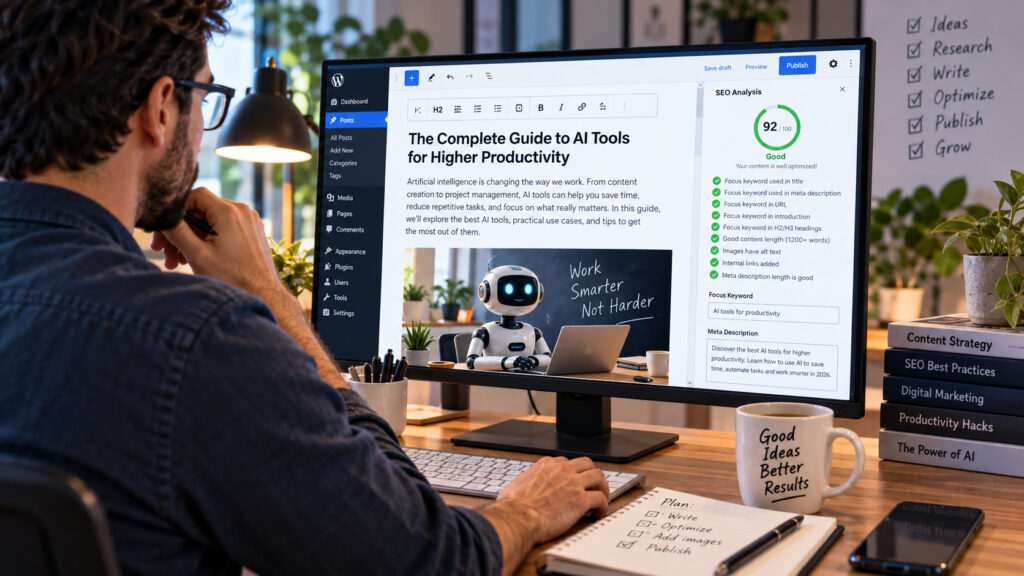
For WordPress users, Rank Math is a popular SEO plugin that helps manage on-page optimization.
It can assist with elements such as:
- SEO titles
- Meta descriptions
- Focus keywords
- Schema
- Sitemaps
- Indexing-related settings
- On-page recommendations
For publishers, having SEO controls directly inside WordPress makes optimization more convenient.
The important thing to understand is that a high plugin score does not guarantee a high Google ranking.
Search performance depends on many factors, including content quality, relevance, competition, backlinks, technical performance, user intent, site authority, and indexing.
Rank Math should be viewed as a useful optimization checklist rather than a ranking machine.
Best for: WordPress bloggers, publishers and website owners.
Free AI Tools vs Paid AI Tools: Which Should You Choose?
For many people, the correct answer is:
Start free. Pay when the limitation becomes expensive.
If you’re experimenting with AI image generation twice a month, a free allowance may be enough.
If you’re running a company that generates hundreds of creative assets, the limitations of a free plan may waste more money in staff time than a subscription costs.
Free AI tools are best when:
You’re learning how AI works.
You only need occasional assistance.
You’re testing different platforms.
Your requirements are relatively simple.
You don’t yet know which tool deserves your money.
Paid AI tools are best when:
AI is part of your daily workflow.
You need higher usage limits.
You need advanced functionality.
Speed matters commercially.
You collaborate with a team.
The tool generates measurable business value.
Don’t subscribe to AI software simply because it is popular.
Pay when the return is clear.
Best AI Tools by Category
If you don’t want to compare dozens of platforms, start with the type of work you need to accomplish.
Best AI Tools for Content Creation
General AI assistants such as ChatGPT can be excellent for brainstorming, outlines, rewriting, explanations, and initial drafts.
Marketing-focused platforms such as Jasper and Writesonic may make more sense when you need repeatable commercial content workflows.
The strongest content workflow is usually:
Research → Outline → AI-assisted draft → Human editing → Fact-checking → SEO optimization → Publication
Skipping the human editing and verification stages is where quality often collapses.
Best AI Tools for SEO
Tools such as Surfer SEO can provide content optimization guidance, while Rank Math is particularly useful for managing SEO directly inside WordPress.
But SEO in 2026 should not be reduced to inserting keywords repeatedly.
A useful article should satisfy the reader’s search intent.
If someone searches for the “best AI tools,” they want help choosing tools—not 3,000 words written solely to repeat the phrase “best AI tools.”
Best AI Tools for Images
Leonardo AI and Midjourney are two well-known options for generative imagery.
The best platform depends on the visual style, workflow, commercial requirements, and level of control you need.
Best AI Tools for Video
Synthesia is particularly interesting for presenter-style business videos.
Runway is more relevant to broader generative and creative video workflows.
They solve different problems, so choosing based purely on popularity doesn’t make sense.
Best AI Tools for Coding
AI coding assistants can help developers complete repetitive code and understand technical problems more quickly.
However, generated code still requires testing, security review, and human understanding.
Never deploy code you don’t understand simply because an AI system generated it.
Best AI Tools for Productivity
AI becomes particularly valuable when it is integrated into existing workflows.
Instead of opening an AI application for every task, tools integrated into workspaces, documents, browsers, and communication platforms can reduce context switching.
The best productivity AI is often the one you barely notice because it quietly removes unnecessary steps.
Pairing an AI assistant with a few reliable non-AI staples often works best — see our roundup of free productivity tools worth using in 2026 for options that complement the AI tools above.
How to Choose the Best AI Tool for Your Needs
With thousands of AI products competing for attention, choosing the right one requires more than reading a “Top 10” list.
Define the Problem First
Don’t begin with the tool.
Begin with the problem.
Instead of saying:
“I need AI.”
Say:
“Writing product descriptions takes my team eight hours every week.”
Now you have a measurable problem.
You can test whether an AI tool reduces those eight hours while maintaining acceptable quality.
Calculate the Real Cost
A $30 monthly subscription may look expensive until you discover that it saves ten hours of work.
Conversely, a $10 subscription is a waste if you open the application once every three months.
Think in terms of value rather than price.

Compare Output Quality
Two AI platforms may advertise the same capability while producing very different results.
Test them using the same realistic tasks.
Don’t judge a tool solely from promotional demos.
Consider Integration
A slightly less powerful AI tool may be more productive if it integrates perfectly with software you already use.
Workflow matters.
Copying information between five applications can eliminate the time AI was supposed to save.
Check Privacy and Data Policies
This is especially important for businesses.
Before uploading customer information, confidential documents, internal code, financial information, or proprietary material to an AI platform, understand how that service handles data.
Convenience shouldn’t override responsible data management.
Test Before Committing
Where a free version or trial is available, use it.
Give the platform real work rather than artificial tests.
If you’re a blogger, ask it to assist with an actual article.
If you’re a designer, test it on a real creative brief.
If you’re a developer, evaluate it against the languages and projects you actually work with.
Common Mistakes People Make With AI Tools
AI can increase productivity, but it can also create new problems.
Publishing Without Fact-Checking
AI can generate incorrect information confidently.
Verify important claims, dates, statistics, prices, quotations, and technical information.
Using Too Many AI Platforms
Having 15 AI subscriptions doesn’t make you 15 times more productive.
It usually means 15 bills, 15 interfaces, and more time deciding which tool to use.
Build a small AI stack around your actual workflow.
Removing Human Personality
If every company publishes untouched AI-generated content, much of the internet begins to sound identical.
Strong content still needs perspective, experience, judgment, and personality.
Use AI to accelerate the process—not to erase the human behind it.
Focusing on Quantity Instead of Quality
Generating 100 articles is easy.
Generating 100 articles people genuinely want to read is difficult.
AI has reduced the cost of producing content, which makes quality and originality even more important.
The Future of AI Tools
The next stage of AI is likely to be less about individual prompts and more about complete workflows.
Instead of asking an assistant to perform one isolated task, users increasingly expect AI systems to understand context and help across multiple steps.
We are already moving toward systems that can research information, work with documents, interact with software, generate multimedia, assist with coding, and automate sequences of tasks.
More AI Agents
AI agents are designed to complete multi-step tasks rather than simply answer questions.
This could significantly change administrative work, research, customer support, development, and digital operations.
Better Multimodal AI
The distinction between text AI, image AI, audio AI, and video AI continues to blur.
Modern systems increasingly understand or generate multiple types of media.
That means workflows that previously required several specialized applications may become more integrated.
More Personalized Assistance
AI systems are also becoming better at adapting to context.
For businesses, this could mean assistants that better understand company processes and internal knowledge.
For individuals, AI may increasingly adapt to personal workflows and preferences.
AI Will Become Less Visible
One of the most interesting possibilities is that people may stop thinking of AI as a separate category of software.
Just as cloud computing became a normal part of everyday applications, AI capabilities are increasingly being embedded directly into existing products.
Eventually, “AI-powered” may become less of a selling point because users simply expect intelligent features to be present.
Frequently Asked Questions About AI Tools
What are the best AI tools in 2026?
There is no single best AI tool for everyone. ChatGPT is a strong general-purpose assistant, while tools such as Canva, Leonardo AI, Midjourney, Synthesia, Runway, Jasper, Surfer SEO, and Rank Math serve more specialized workflows.
What is the best free AI tool for beginners?
A general-purpose AI assistant such as ChatGPT can be a practical starting point because it can help with many different tasks without requiring advanced technical knowledge.
Are free AI tools good enough?
For many personal and occasional tasks, yes.
Free tiers can be excellent for learning and experimentation. Professional users may eventually need paid plans for higher limits, advanced features, collaboration, or commercial workflows.
Are paid AI tools worth the money?
They can be.
The important question is whether the tool creates more value than it costs.
A professional who saves several hours every month may easily justify a subscription. An occasional user may not.
Can AI tools replace employees?
AI can automate or accelerate individual tasks, but jobs usually consist of many different responsibilities requiring context, judgment, communication, accountability, and human decision-making.
A more useful way to think about AI is as a productivity multiplier.
What is the best AI tool for SEO?
There isn’t one universal winner. Surfer SEO focuses heavily on content optimization, while Rank Math provides extensive SEO functionality inside WordPress. Your choice depends on your publishing workflow and requirements.
What are the best AI tools for content creators?
Content creators may benefit from a combination of a general AI assistant for research and writing, Canva or an image generator for visuals, and specialized video tools when needed.
The best stack is usually small and purpose-driven.
Final Thoughts: Which AI Tools Are Worth Using in 2026?
The AI market in 2026 is enormous, and it will continue to grow.
That doesn’t mean you need every new tool.
The most effective approach is surprisingly simple:
Identify the tasks consuming your time.
Find an AI tool capable of reducing that workload.
Test it using real work.
Measure the result.
Keep it if it genuinely improves your workflow.
A writer may get enormous value from an AI assistant and never need generative video. A designer may rely heavily on image-generation tools while having little interest in AI SEO software. A developer may care primarily about coding assistance.

There is no perfect AI stack for everyone.
The best AI tools in 2026 are the tools that help you produce better work, make better decisions, or accomplish valuable tasks more efficiently.
Free AI tools make experimentation easier than ever, while paid platforms provide advanced capabilities for people and businesses ready to integrate artificial intelligence more deeply into their work.
But the technology itself is only part of the equation.
The advantage comes from knowing when to use AI, what to delegate to it, what to verify, and where human judgment still matters.
AI can generate an idea in seconds.
What you choose to do with that idea is still up to you.